Virtual job fairs can feel awkward at first. You are trying to make a strong first impression through a camera, chat box, or a short video call, often while juggling multiple booths, short chat windows, queues, and time slots. The good news is that the playing field is more level than you think. When everyone is on the same platform, preparation and follow-through are what separate a forgettable hello from an interview invite.
Below are seven practical, repeatable tips I have used with job seekers in nursing, tech, and military-to-civilian transitions. Pick a few to focus on, and you will walk in calmer, clearer, and much more memorable.

1) Do a full tech rehearsal the day before
In a virtual fair, your technology is your handshake. If it is glitchy, employers may never get to your great answers.
Your quick tech checklist
- Platform access: Log in early and confirm you can enter booths, schedule chats, and upload documents if needed.
- Audio and camera: Test mic and webcam in the same room you will use on fair day. If you can, use headphones to reduce echo.
- Internet stability: Run a speed test and, if possible, connect via ethernet or sit close to your router.
- Browser and updates: Use the recommended browser and update it. Close extra tabs and apps to avoid lag.
- Backup plan: Have a phone hotspot ready and the event support email saved.
Pro tip: Put your phone on Do Not Disturb and disable desktop notifications. A pop-up during a recruiter chat can throw you off more than you realize.
2) Plan your booth schedule
Most virtual fairs are designed to keep you moving. Between short chat windows, queues, and one-click booth hopping, it can feel chaotic. A simple plan turns that chaos into momentum.
Before the fair, build a target list
- Choose 5 to 8 priority employers you truly want to speak with.
- Add 5 backup employers in case your top booths have long waits.
- Write one reason you are interested in each employer, tied to a role, mission, patient population, tech stack, schedule type, or training pathway.
If the platform allows appointments, book them. If it is first-come, first-served, visit your top booths early.

3) Build a 20-second pitch
Recruiters often speak with dozens of candidates in a short window. A strong pitch helps them immediately understand who you are and what to do with you next.
Use this simple formula
Present: "Hi, I'm [Name]. I'm a [role or student status] with [1 to 2 strengths]."
Past proof: "Recently, I [impact or accomplishment]."
Future target: "I'm interested in [role/team] because [specific reason]."
Ask: "Can I ask a quick question about what you look for in candidates?"
Example (nursing)
"Hi, I'm Jordan Lee. I'm a BSN grad with strong patient communication and calm prioritization. In my capstone, I supported a high-acuity med-surg unit and consistently received positive feedback on bedside education. I'm interested in your new grad residency because of the structured preceptorship and focus on patient safety. Can I ask what makes a candidate stand out for your program?"
Example (telecommuting tech)
"Hi, I'm Sam Patel. I'm an IT support specialist with strengths in customer empathy and ticket triage. In my last role, I improved first-response times by creating a new knowledge base workflow. I'm targeting remote support roles with clear growth into systems administration, and I noticed your team supports healthcare clients. Could I ask what tools your remote team uses most day to day?"
4) Make your resume and LinkedIn click-ready
At an in-person fair, a recruiter can glance at your resume while you talk. Online, they often click away from the chat to view your profile, or they rely on what you send in the moment. Make it easy.
Do this before the fair starts
- Name your resume file clearly: FirstName_LastName_Role (example: Maya_Caldwell_Recruiter.pdf).
- Keep a one-page version handy for quick uploads, plus a longer version if your field expects it (for example, federal resumes and some academic roles).
- Update your LinkedIn headline to match what you want next (example: "New Grad RN | Interested in ICU Residency" or "Remote Help Desk Specialist | CompTIA A+").
- Add a clean, short About section that mirrors your elevator pitch.
- Turn on Open to Work settings if you are comfortable, and ensure your location and remote preferences are accurate.
If you are a military veteran, translate your experience into civilian terms. Replace acronyms with plain language and highlight leadership, logistics, compliance, training, and team coordination.
5) Look and sound professional
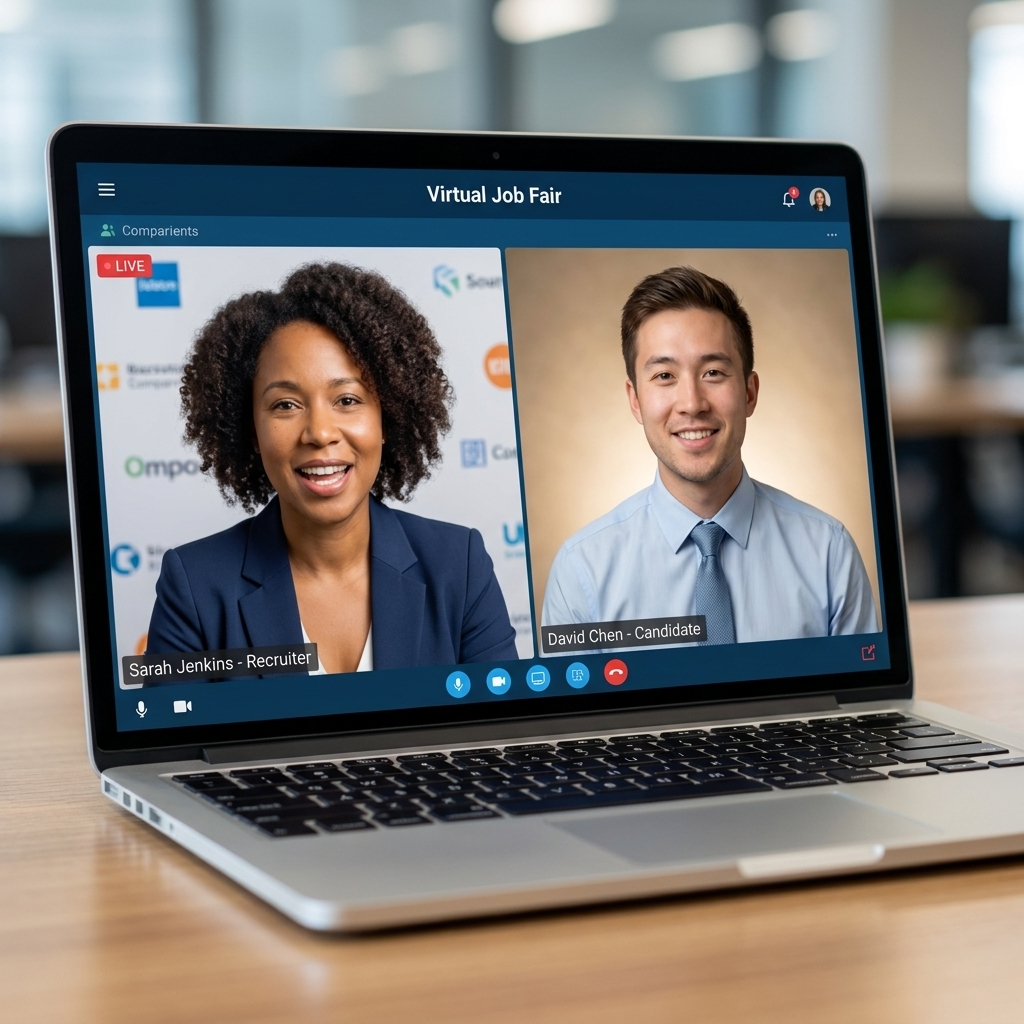
You do not need a perfect home or a fancy camera. You need to look clear, sound clear, and feel confident.
Simple setup wins
- Lighting: Face a window or lamp, not a bright light behind you.
- Camera angle: Place your camera at eye level. Stack a few books under your laptop if needed.
- Background: Choose a tidy, neutral area. A plain wall is great.
- Notes: Keep a short cheat sheet next to the camera: your pitch, 2 questions, and 3 achievements.
What to wear: Match the role and industry. When in doubt, aim for interview-ready from the waist up. Solid colors read better on camera than busy patterns.
6) Ask better questions
Many employers at job fairs are actively hiring, while others are building a pipeline or strengthening their brand. Either way, the questions that make you memorable are the ones that show you understand the role and care about fit.
High-impact questions to use
- "What does success look like in the first 60 to 90 days for this role?"
- "Which skills separate a good candidate from a great one on your team?"
- "What does training look like for someone new to your organization?"
- "What schedules or shifts are hardest for you to staff right now?" (especially useful in healthcare)
- "How does your team support remote employees day to day?" (for remote roles)
- "What is your interview timeline, and what is the best next step after today?"
Then, connect your background to their answer: "That's helpful. I've done something similar when I..." This turns a Q&A into a real conversation.
7) Follow up within 24 to 48 hours
This is the step most people skip, and it is where opportunities often live. Recruiters remember the candidate who follows up clearly and respectfully. Your goal is to make it easy for them to say yes to a next step, such as forwarding your resume to a hiring manager or booking an interview.
Right after each chat, capture three details
- The recruiter's name and preferred contact method
- The role name or requisition number (if mentioned)
- One personal detail from the conversation (a team need, a timeline, a program)
Simple follow-up message template
Subject: Great meeting you at [Virtual Job Fair Name]
Hi [Name],
Thank you for speaking with me today about [role/team]. I appreciated learning that [specific detail they shared]. Based on our conversation, I'm even more interested in the opportunity because [brief match].
I've attached my resume and included my LinkedIn here: [link]. If it's helpful, I'm available for an interview [2 time windows].
Thanks again,
[Your Name]
[Phone] | [Email]
If you did not get a direct email: Connect on LinkedIn with a short note and mention the fair. Keep it professional and brief.
If they tell you to apply online
Do it the same day if you can. In the application (or follow-up note), reference the role title, requisition number, and that you met them at the fair. Example: "Applied to Req 18422 after speaking with you at the ABC Virtual Job Fair." That small detail helps your application get routed correctly.
Virtual fair etiquette
- Watch the queue: If a booth has a long wait and you are on a tight schedule, move to a backup booth and come back later.
- If a recruiter goes quiet: Give it a minute, then send one polite nudge like, "Hi [Name], just checking in. Happy to wait or come back at a better time." If there is still no response, pivot to another booth and follow up afterward if you have contact info.
- Confirm the time zone: Virtual events can span regions. Double-check the fair time zone and any scheduled chat times.
- Use accessibility features: Turn on captions if offered, and request accommodations early if you need them. A quiet space and clear audio help everyone.
Common mistakes to avoid
- Trying to talk to everyone: It spreads you thin. Prioritize quality conversations.
- Copy-paste messages that feel generic: Personalization is what makes follow-up work.
- Ignoring chat etiquette: Use complete sentences, avoid slang, and keep responses concise.
- Reading a script word for word: Use bullet points and speak naturally.
- Forgetting to ask for next steps: You are allowed to be direct and respectful.
Mini prep list
- Write your 20-second pitch and practice it 5 times out loud
- Update your resume filename and your LinkedIn headline
- Pick 5 target employers and write one tailored reason for each
- Set up your space: lighting, camera height, quiet background
- Draft your follow-up template so you can send it quickly
If you are feeling nervous, that is normal. Virtual job fairs reward preparation, not perfection. Show up ready, be genuinely curious, and follow through like someone who expects to be taken seriously. Employers notice that.