A crisp fold and a fresh perspective.
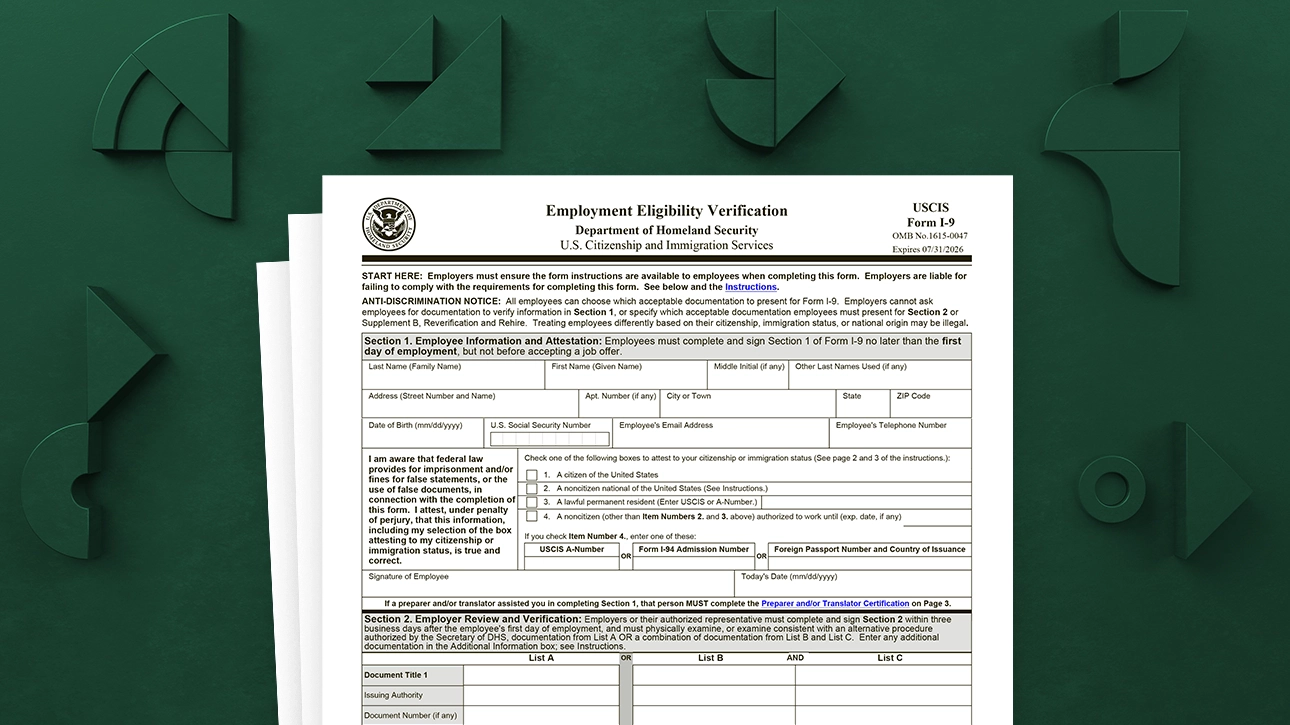
After you accept an offer, you might hear one more unfamiliar term: E-Verify. It can feel like a background check, but it is different. E-Verify is an electronic system some employers use after you complete Form I-9 to confirm you are authorized to work in the United States.
Let’s unfold what is happening, what the system is comparing, what it means if a mismatch shows up, and what the official contest process looks like.

When you may see E-Verify
Not every employer uses E-Verify. For many private employers, it is optional. Some employers use it because they are federal contractors, operate in states with E-Verify requirements, or have chosen to participate as a standard hiring practice.
In other words, if one job uses E-Verify and another does not, that does not automatically signal anything about you. It often reflects employer policy or a legal requirement tied to the role or location.
First, the timeline
In most workplaces, this goes in a specific order:
- You accept the offer and start onboarding.
- You complete Form I-9, which verifies identity and work authorization using acceptable documents.
- The employer creates an E-Verify case using the information from your completed Form I-9. For employers enrolled in E-Verify, the case generally must be created no later than the end of the third business day after you start work for pay. In practice, many employers run it early, often on day 1 through day 3.
Two important notes:
- E-Verify is run by the employer, not by you.
- You do not need to bring extra documents just because E-Verify exists. If a mismatch occurs and you contest it, you may need to contact SSA or DHS or provide information through the official referral steps described in your notice.
What E-Verify compares (high-level)
E-Verify checks the information your employer enters from your Form I-9 against government records, primarily from:
- Social Security Administration (SSA)
- Department of Homeland Security (DHS)
What gets compared depends on what you provided on the I-9, but commonly includes:
- Your name
- Your date of birth
- Your Social Security number (if provided)
- Citizenship or immigration status attestation from the I-9
- Information from certain identity or work authorization documents you presented for the I-9
Think of it as a consistency check: do the details entered from your I-9 match the records those agencies already have?

Common case results
Many employees never hear a word after the employer submits the E-Verify case. That is often a sign the system returned an Employment Authorized case result and onboarding continues normally.
Other times, the case returns a result that requires action. The exact labels you see on a printout can vary by notice and workflow, so treat these as examples and rely on the wording in the official notice your employer provides.
- Employment Authorized: The information matched. No further steps for you.
- SSA or DHS Verification in Process (or similar): The system needs more time to respond. This can resolve without anything from you.
- Tentative Nonconfirmation (TNC): A mismatch occurred that could not be immediately resolved electronically. Often it will be labeled more specifically as an SSA TNC or a DHS TNC.
- Case in Continuance (sometimes appears after you contest): The agency is reviewing or you are taking the directed steps.
- Final Nonconfirmation: This can happen only after the TNC process plays out and the system still cannot confirm authorization.
- DHS No Show: This can happen after you contest if you do not take the required next step by the deadline, such as not contacting DHS or SSA as instructed.
Tentative Nonconfirmation (TNC)
A Tentative Nonconfirmation means E-Verify could not confirm your work authorization based on the information entered. It does not automatically mean:
- You did something wrong
- You are in trouble
- You are not authorized to work
Common reasons for a TNC can include:
- A name mismatch (for example, using a preferred name that is not updated in records)
- A typo in the information the employer entered
- An SSA record that has not been updated after a life change (marriage, naturalization, status update)
- In some cases, timing issues where a recent immigration update has not fully reflected in connected systems yet
The key is that a TNC triggers your right to choose: you can contest it or not contest it, and there is a formal process either way.
One more thing that helps emotionally: resolution is not always instant. Depending on whether it is an SSA or DHS issue and what needs to be corrected, it can take anywhere from a few days to a few weeks.
Your rights in a TNC
This is the part worth keeping close:
- You have the right to contest a TNC.
- Your employer must give you the official written notice (often called a Further Action Notice) explaining the mismatch and your choice.
- You should receive and keep a copy of the Further Action Notice and, if you contest, the Referral Date Confirmation.
- Your employer should not ask you to fix the issue “informally” before giving you the notice and recording your decision in the system.
- Your employer generally may not take adverse action against you because of a TNC while it is in a properly contested status.
How contesting works
If your employer receives a TNC, they are required to follow specific steps. While employers vary in how they explain it, the structure is consistent.
Step 1: You get the notice
Your employer should provide the official notice explaining the TNC and your options. Read it carefully. This is one of those paper trail moments where details matter.
Step 2: You choose
You can:
- Contest the TNC if you believe it is an error or mismatch that can be corrected, or
- Not contest if you choose not to pursue it
If you contest, your employer refers the case in E-Verify. In many cases, you will also receive a second page confirming the referral timing (often called a Referral Date Confirmation).
Step 3: Follow the referral steps
If you contest, you may be instructed to take action with SSA or DHS. That can include contacting the agency, updating records, or providing information through official channels. The notice you receive should indicate what to do next.
Meet the deadlines. If required steps or timelines are missed, a contested case can end in a “no show” type result.
Step 4: Work while it is pending
In general, when you contest a TNC, you can continue working while the case is being resolved. Employers should not take adverse action against you due solely to a TNC while it is being processed.
At the same time, normal workplace rules that are applied consistently to everyone can still operate in the background. The big line is that the employer cannot treat the TNC itself as a reason to punish, suspend, delay start, or reduce hours.
If you get a TNC, do this first
A TNC is stressful, but it is also procedural. A calm checklist helps:
- Ask for the written notice and read it fully.
- Keep your copies of the Further Action Notice and, if you contest, the Referral Date Confirmation.
- Confirm the basics: name spelling, date of birth, and Social Security number (if provided) as shown on the notice.
- Decide quickly whether you want to contest.
- If you contest, follow the referral instructions exactly and keep copies of anything you submit or receive.
If the employer entered it wrong
Typos and data entry issues do happen. If you receive a TNC, review the notice carefully and point out any obvious errors right away.
One nuance: after an E-Verify case is created, employers cannot always edit whatever they want. Depending on what is wrong, the proper fix may be to correct the underlying Form I-9 information if it was completed incorrectly, or to close the E-Verify case and create a new one, following E-Verify rules. The important part for you is to stick to the official notices and steps, not off-the-record fixes.
Do not submit false documents
A TNC can make anyone anxious, especially when you are excited about a new job. But this is the moment to stay precise, not improvisational.
- Do not present false documents.
- Do not alter documents.
- Do not use someone else’s information.
If something is wrong, the solution is to follow the official contest steps and correct the underlying record mismatch through the proper agency process.
How to reduce mismatches
You cannot control every database sync, but you can reduce avoidable errors with a few careful checks:
- Use your legal name exactly as it appears on your documents and official records when completing onboarding forms.
- Double-check numbers you type or provide, especially your Social Security number if you provide it.
- Tell HR early if you have recently changed your name or updated immigration status, so they understand a record update might be in motion.
- Remember your document rights: for Form I-9, you choose which acceptable documents to present. You should not be asked for new or different documents solely because E-Verify is used or because a TNC appears.
- Keep copies of any notices you are given and any confirmation you receive when you contact an agency.
FAQ
Is E-Verify the same as a background check?
No. A background check often reviews things like criminal records, education, employment history, or other consumer report items. E-Verify is specifically about confirming work authorization based on Form I-9 information compared with SSA and DHS records.
Can I run E-Verify on myself?
In general, individuals cannot initiate an E-Verify case on themselves. E-Verify is an employer system tied to the Form I-9 process. If you are worried about a mismatch, focus on making sure your information is accurate and up to date in the underlying records, such as reviewing and correcting your information through official SSA or DHS channels as appropriate.
Does a TNC mean I will lose the job?
Not automatically. A TNC is a tentative result. If you contest it and follow the official steps on time, many mismatches are resolved.
Can my employer ask me for different documents because of E-Verify?
For Form I-9, you choose which acceptable documents to present from the official lists. Employers should not demand specific documents or more documents than required. If a TNC is issued and you contest it, follow the instructions in the notice rather than guessing what additional paperwork might help.
What if my case result wording sounds different?
That is common. E-Verify case result labels can vary, and some appear only after you contest a TNC. If you are unsure what you are looking at, ask HR to provide the official notice printout for your records and review the exact wording there.
The fold that matters
E-Verify is meant to confirm, not to surprise. If everything matches, you may never hear about it. If you receive a tentative nonconfirmation, treat it like a paperwork mismatch with a process attached: read the notice, decide whether to contest, follow the official instructions, and avoid any temptation to “solve it” with unofficial or false documents.
Clarity is the goal. One careful step at a time.